On-device encryption, optional sync to the user's own Drive
Why: For a wallet full of IDs, 'we can't see your data' has to be architectural, not a policy promise. No server also means no breach surface — and no infrastructure bill for a solo studio.
Every important document, encrypted and always in your pocket — a privacy-first wallet for IDs, cards, and registrations. Live on the App Store and Google Play.
View Live Project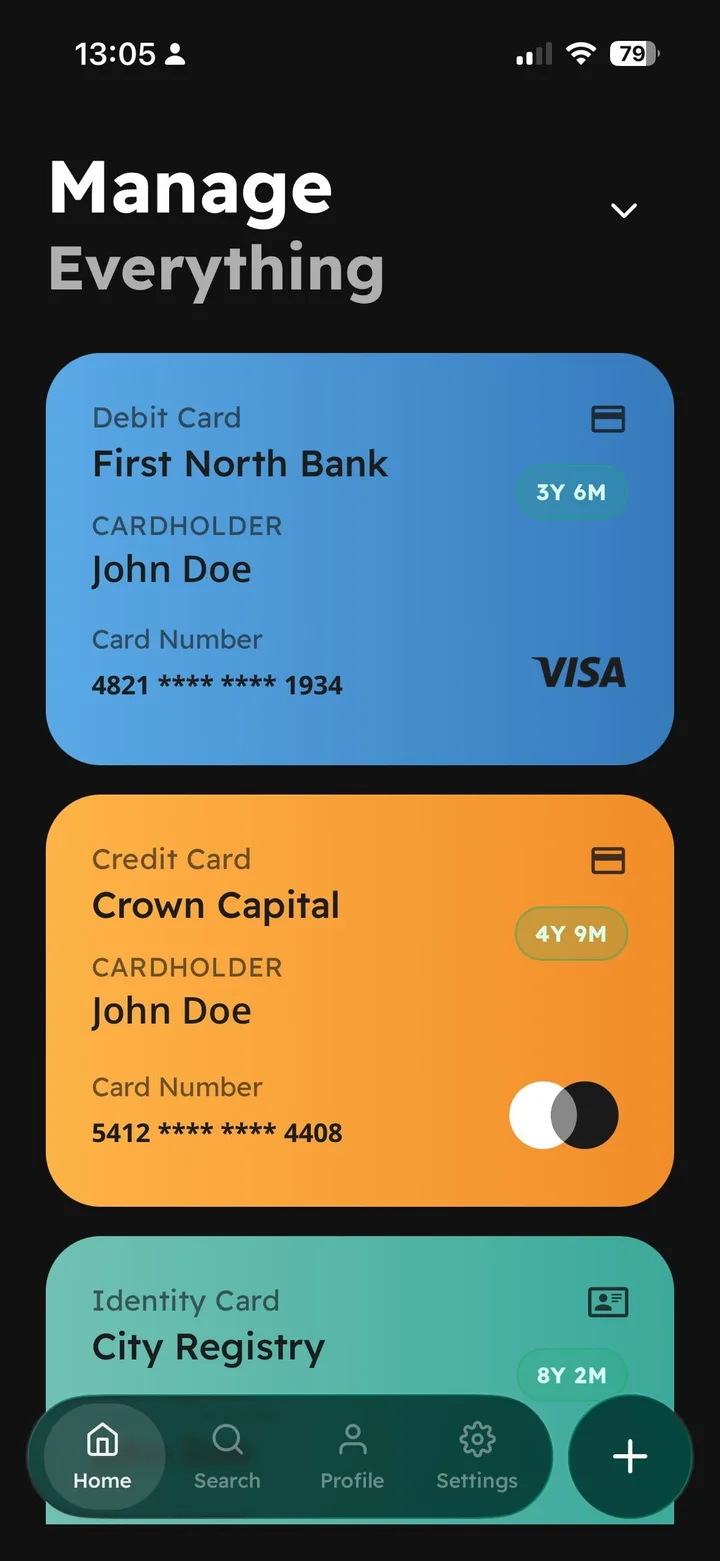
Everyone's important documents live as photos in a camera roll — unencrypted, unsearchable, and shared as full-resolution screenshots.
Pocket ID is a privacy-first digital wallet: IDs, bank cards, vehicle registrations, and personal documents — encrypted on-device, searchable in seconds, and styled as cards you can actually read. The brief I set myself: replace the camera-roll-full-of-document-photos habit with something that's faster to use AND dramatically safer, without a server ever touching the data.
A document wallet lives or dies on trust and speed, and the two fight each other: every security layer adds friction to the moment that matters — pulling up your ID at a counter with people waiting behind you. The design challenge was making the secure path the fast path: biometrics instead of passwords, offline instead of cloud-dependent, structured cards instead of zoomed-in photos. And the whole thing had to survive Apple and Google review as a solo submission.
Everything — product, design, and the build, from first sketch through both store reviews.
Live on the App Store and Google Play. 4.5 average rating from beta, 100% of testers would recommend it.
How I approached it, step by step.
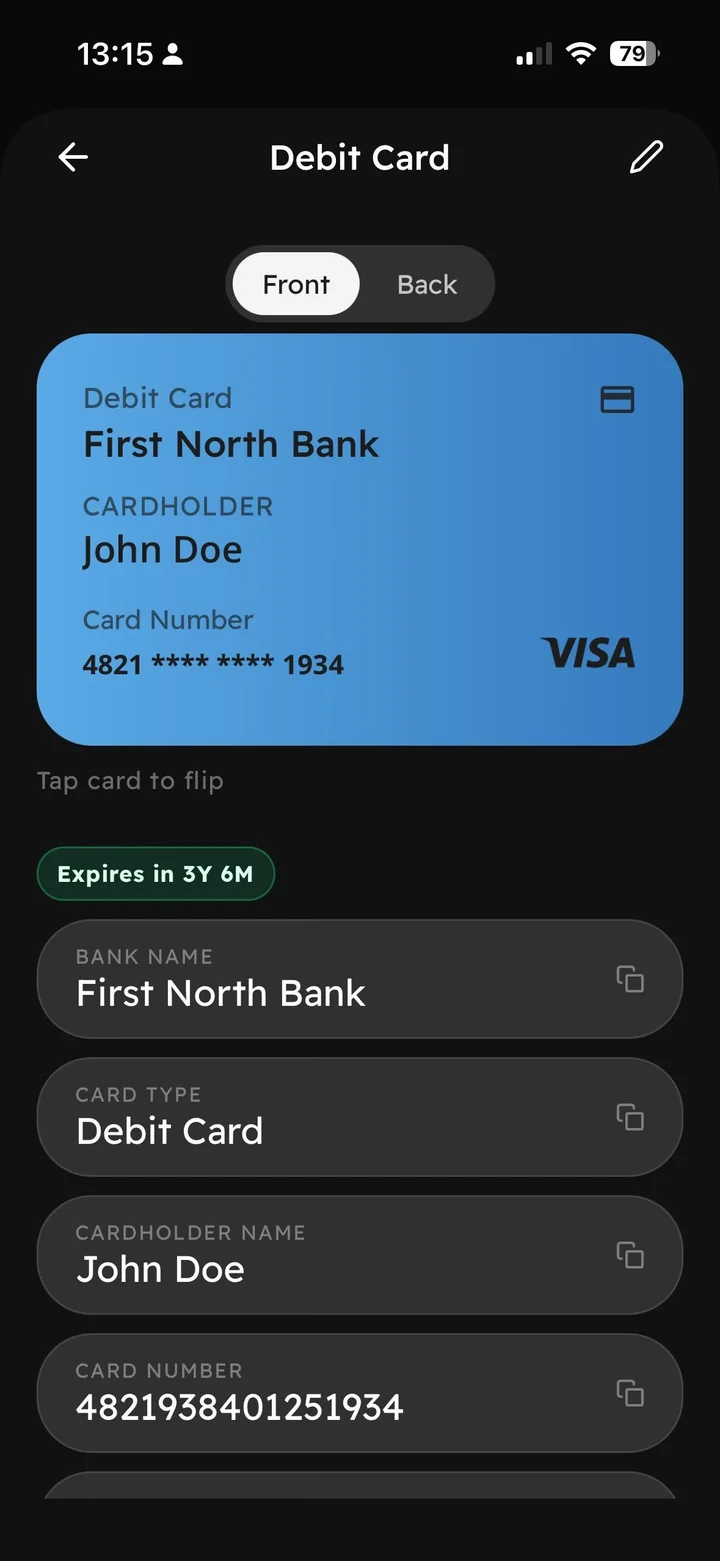
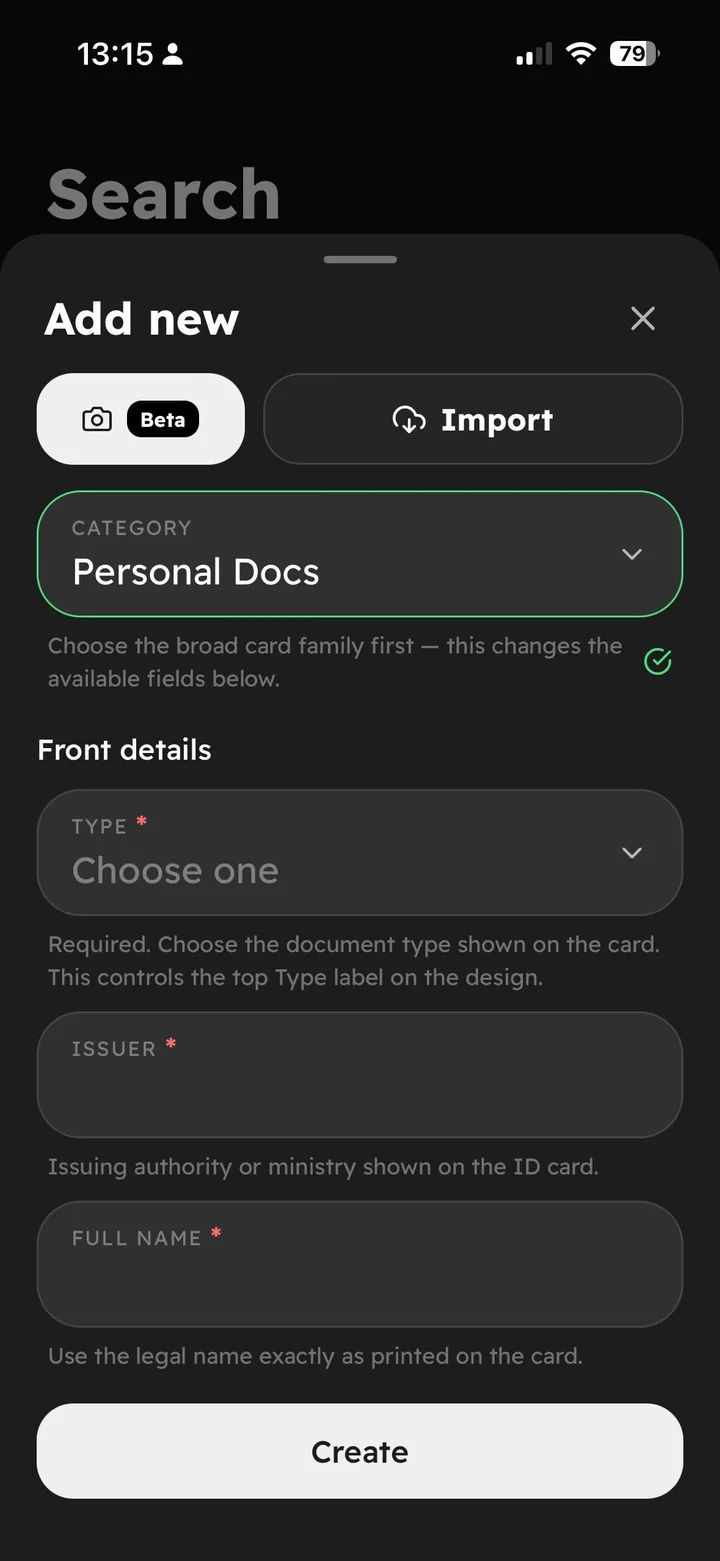
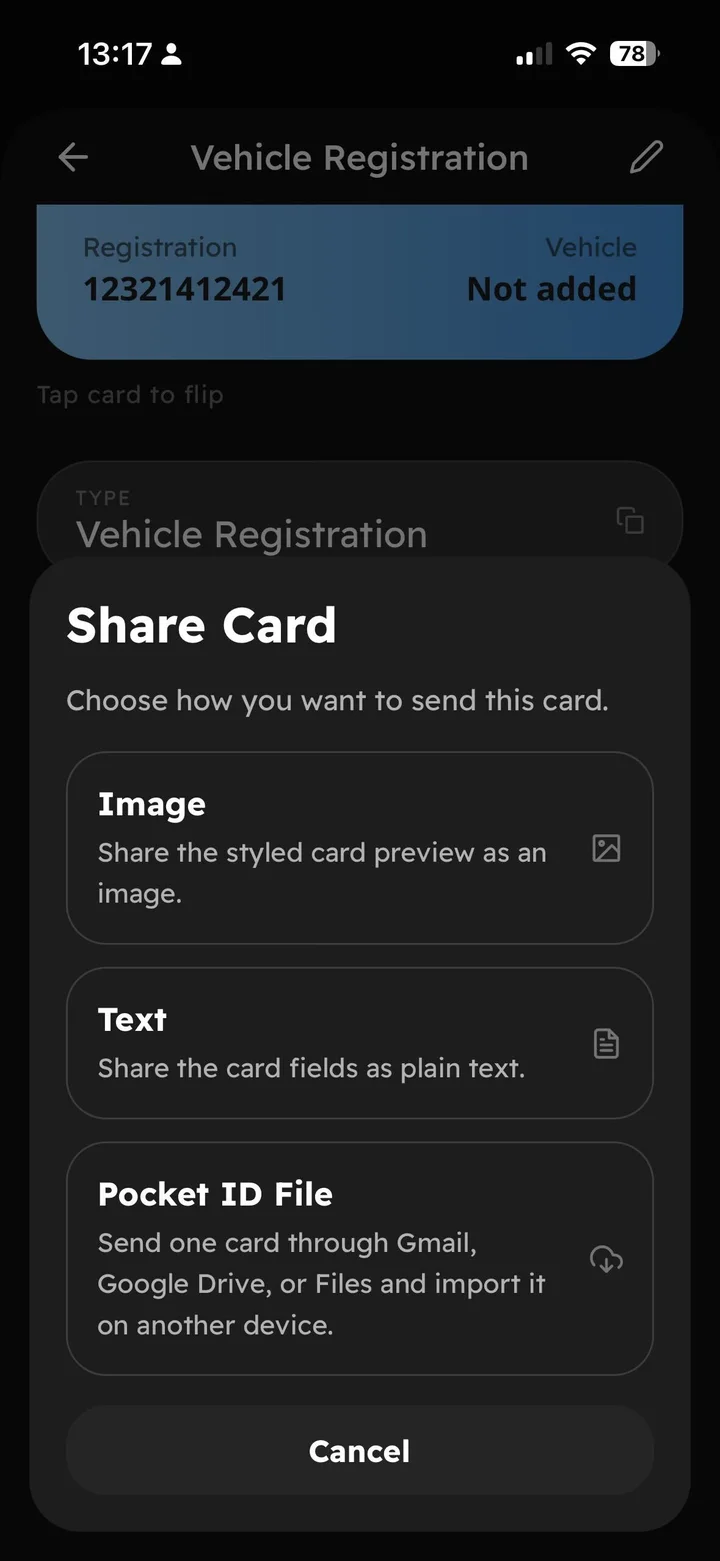
Documents are structured into typed templates — ID, bank card, vehicle registration, personal docs — with the fields that actually matter. A category picker drives the form, and the result renders as a legible, styled card with a front and a back, not a glare-ridden photo.
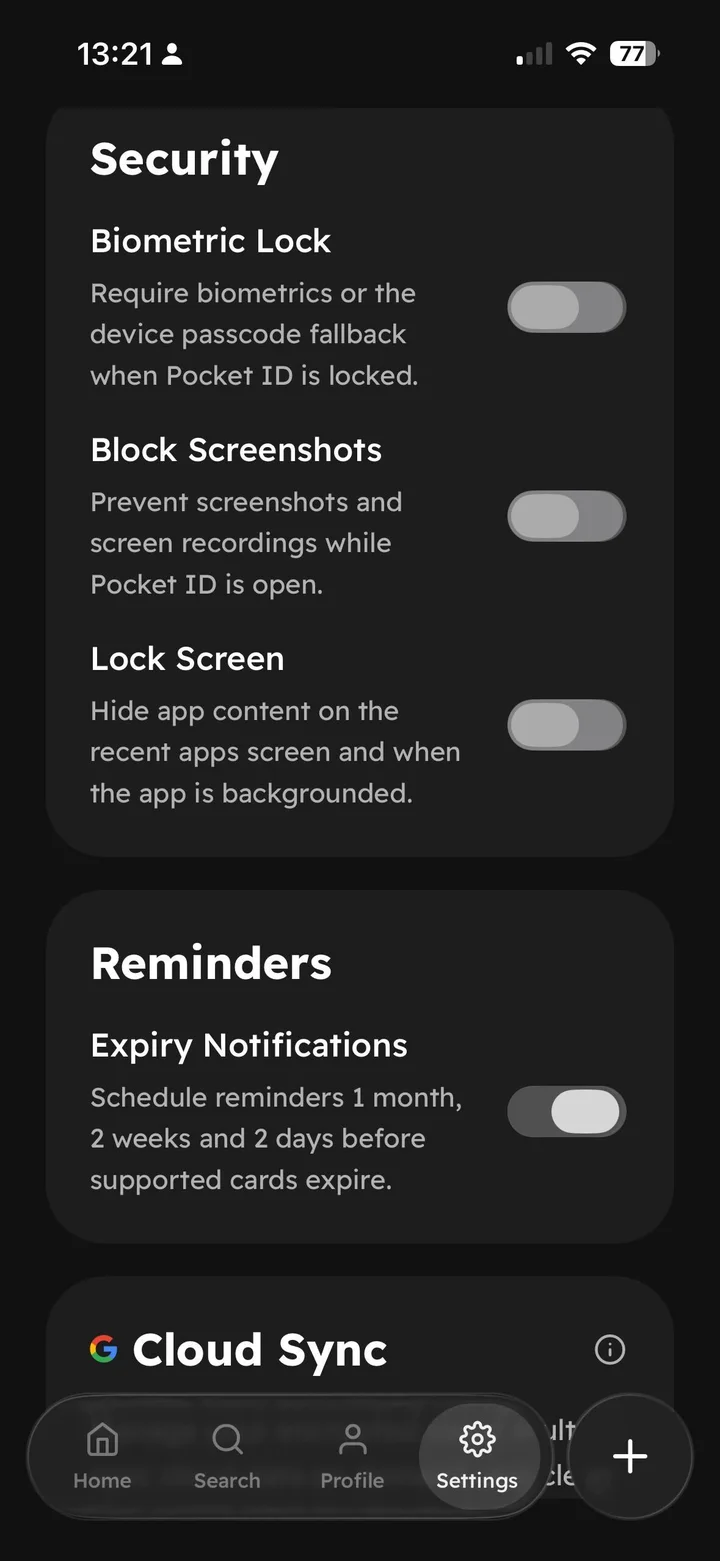
Everything is encrypted on-device and works fully offline. Biometric lock, screenshot blocking, and recent-apps content hiding are one toggle each. Cloud sync exists — but it's optional and goes to the user's own Google account, never to a Bearacle server.
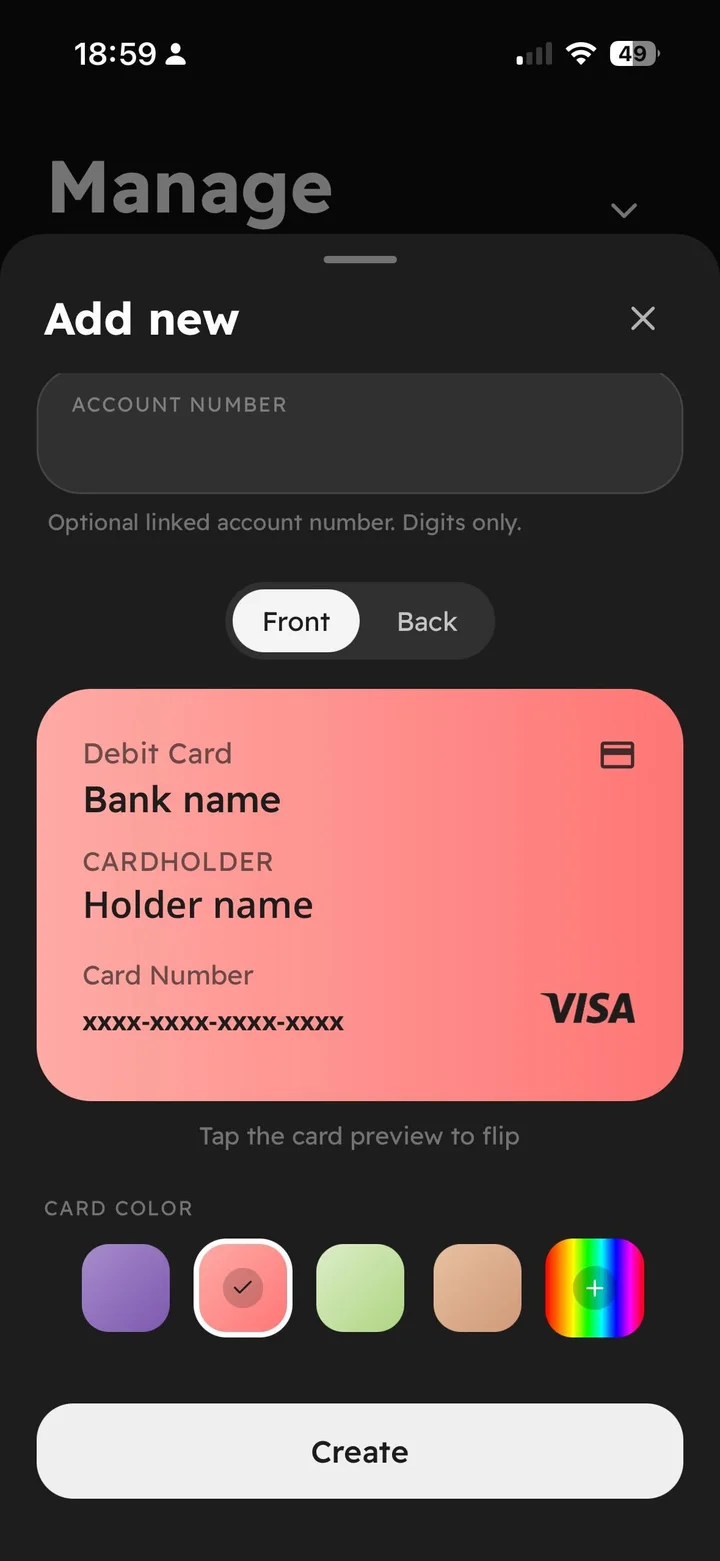
People personalize what they carry. Custom colors, categories, and tags make each card recognizable at a glance — which is also a usability feature when you're scrolling a wallet in a hurry.
Three share modes with different privacy weights: a styled image for casual sends, plain text fields for forms, and a .pocketid file that travels through Gmail, Drive, or Files and imports losslessly on another device — cross-device migration without a server in the middle.
Every design is a set of choices. These were the big ones.
The options I weighed, and why I chose what I did.
The shipped screens, and what changed.
A closer look at the final design.
Pocket ID shipped Android-first on Google Play, then passed App Store review — after one rejection that, in fairness, asked a legitimate question about a permission and made the app better. Beta testers rated it 4.5 with 100% saying they'd recommend it. It's now the quiet daily-utility flagship of the Bearacle portfolio.
Security features only get used when they cost one toggle. Every extra step halves adoption.
Store review is a design review. The rejection that stung was pointing at a real ambiguity.
Structured beats freeform: typed templates made search, expiry reminders, and sharing all possible.
Pocket ID taught me that trust is a UX deliverable. The features that made testers say 'finally' weren't clever — they were the boring guarantees stated plainly: offline, encrypted, no account. If I revisit it, the next mile is expiry intelligence — the app already knows your documents' dates; it should be the one thing that never lets you show up at a border with an expired passport.